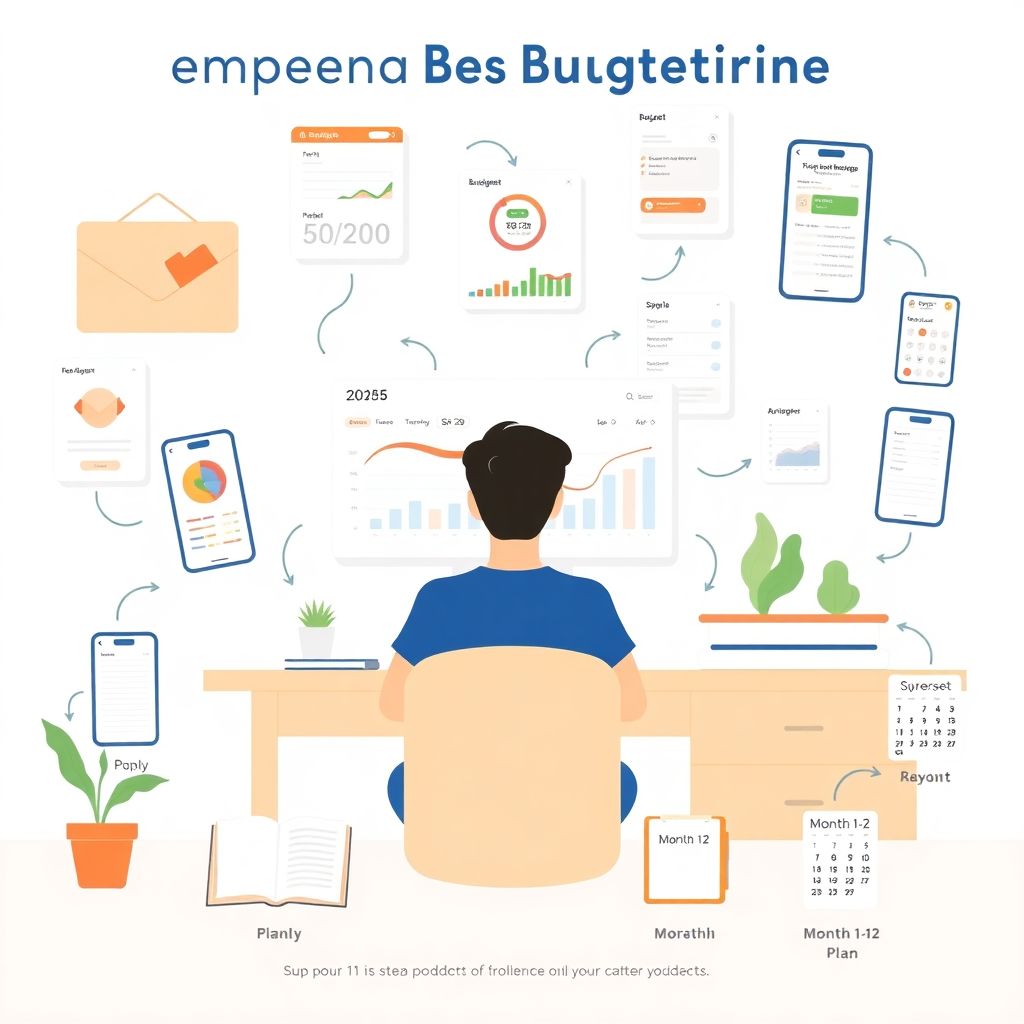
Why Your First Budget Year Feels Weird (and Why That’s Normal)
The first year you try to live on a real budget usually feels less like tidy spreadsheets and more like debugging messy code. You think you’ll just “track expenses” and magically spend less, but reality looks different: irregular bills appear, motivation drops, and every unexpected expense breaks the plan. This isn’t a sign you’re bad with money; it’s just that your *budgeting system* is still in the testing phase. To get through this first budget year сonfidently, it helps to treat it like an experiment with iterations, feedback loops and clear metrics, not like a once‑and‑for‑all decision.
How to Start a Budget for the First Time: Three Core Approaches
1. Retroactive tracking vs. proactive planning
When people ask how to start a budget for the first time, they usually mean one of two things: either “How do I track what I already spent?” or “How do I tell my money what to do before I spend it?” This difference — retroactive vs. proactive — is crucial.
Retroactive tracking means you log what happened: you categorize transactions once they hit your account. It’s low‑pressure and great for diagnosis, but it doesn’t prevent overspending; it just documents it. Proactive planning, by contrast, is envelope‑style: you assign every incoming dollar to a purpose *before* using it. That can feel restrictive at first, but it gives you a control loop: plan → act → compare → adjust. Most new budgeters underestimate how often they’ll need to adjust; the lesson in year one is not to chase perfection but to shorten the time between plan and correction.
In practice, a robust personal budget planner for new budgeters usually combines both: a planned allocation at the start of the month plus weekly reality checks, where you reconcile the plan with actual spend, then rebalance categories. This hybrid model respects real life while still giving you guardrails.
2. Zero‑based, 50/30/20, and envelope budgeting — what actually works
Let’s compare three popular frameworks you’ll encounter in any beginner budgeting course online or blog:
1. Zero‑based budgeting
Every unit of income gets an explicit job: bills, goals, fun, debt. There is no “unassigned” remainder; the “zero” is just an accounting identity. This approach forces clarity and is excellent for people with variable income or lots of goals. The downside in your first budget year is cognitive load: you must review and reassign constantly, which can feel overwhelming without automation.
2. 50/30/20 rule
You split net income into 50% needs, 30% wants, 20% savings/debt. It’s simple and gives a high‑level structure. For someone starting from chaos, this is often the least stressful entry point. However, it’s crude: in high‑cost cities, needs might exceed 50% easily, and you might not see exactly where your “wants” money goes. It’s more of a macro heuristic than a real control system.
3. Envelope (category) budgeting
You split your money into labeled “envelopes”: groceries, rent, transportation, gifts, etc. Historically it was cash in literal envelopes; now it’s mostly digital. This model maps well to how people actually think about spending. Its strength in the first year is behavioral: when the groceries envelope is exhausted, you get immediate feedback. The drawback is friction — many people resist “moving money between envelopes” and experience it as failure, even though reallocation is normal.
For most new budgeters, envelopes plus a light 50/30/20 lens works well: you get intuitive categories and a rough benchmark for whether housing or lifestyle is out of line, without the full overhead of strict zero‑based rules.
Tech Stack for Budgeting: Apps, Spreadsheets, or Pen and Paper?
1. Spreadsheets as a flexible “budget engine”
Spreadsheets remain the most customizable solution. You can build a monthly budget template for first year budgeting with your own categories, formulas for savings rate, and simple charts tracking your net worth over time. The advantages are transparency and control: no hidden logic, full exportability, and no vendor lock‑in.
However, the first‑year lesson with spreadsheets is that *flexibility cuts both ways*. You can over‑engineer: 25 spending categories, complex pivot tables, and dashboards you stop updating after two weeks. Data entry fatigue is the biggest risk. To keep a spreadsheet sustainable, you need to minimize manual steps: import bank CSV files, use drop‑down categories, and limit how many metrics you monitor. Think of it as building a minimal viable product, not an enterprise data warehouse.
2. Best budgeting apps for beginners: convenience vs. lock‑in
Dedicated software — the best budgeting apps for beginners like YNAB, EveryDollar, or newer AI‑assisted tools — automate much of what a spreadsheet does. They import transactions, auto‑categorize based on history, send alerts, and sometimes run predictive analytics (“You’ll likely overspend on dining this month”). For your first budget year, that automation can be the difference between sticking with the system and quitting.
But there are trade‑offs:
– Pros
– Faster feedback loops via notifications and real‑time balances
– Synchronization across devices and sometimes across household members
– Built‑in templates and wizards to reduce setup friction
– Security layers like read‑only bank connections, encryption, and two‑factor auth
– Cons
– Subscription costs that, ironically, need to go into your budget
– Vendor risk: product changes, price hikes, or shutdowns
– A “black box” feeling if the categorization or projections aren’t transparent
– Potential over‑reliance on automation and reduced awareness of your own patterns
In the first year, it’s common to switch tools once or twice. That’s not failure; it’s requirements discovery. You’re learning your own tolerance for detail, notifications, and data entry. Capture the meta‑lessons: What made you stop using the previous app? Too noisy? Too rigid? These constraints will guide the right long‑term choice.
3. Analog methods: still useful in 2025?
Pen and paper or a physical notebook sound outdated, but for some personalities they’re extremely effective during the learning phase. Manually writing down every transaction introduces “frictional awareness”: you feel each spend choice, which can change behavior quickly. It transforms money from an abstract number on a screen into a series of concrete decisions.
The downside is that analog doesn’t scale well. Reconciliation with bank balances is slower, and there’s no automatic backup. In 2025, a pragmatic approach is hybrid: use an app or bank export for archival data and a small physical log or whiteboard for weekly planning. The key insight from year one is that the *awareness ritual* matters more than the medium. Whatever keeps you consistently engaging with your numbers wins.
Comparing Approaches: What Actually Matters Long‑Term
1. Behavior design vs. feature lists
New budgeters often over‑index on features: “Does this tool have investment tracking?” or “Can it split transactions three ways?” In practice, the main determinant of success in your first budget year is *behavior design* — how the system shapes your habits.
When comparing approaches, ask concrete questions:
1. How many minutes per week does this system require, realistically?
2. What is my “check‑in trigger”? A calendar reminder, a Friday ritual, or app notifications?
3. How quickly do I see the impact of a change (e.g., cancelling a subscription) on my goals?
4. Does the system make it emotionally easy to fix a mistake, or do I feel punished and quit?
5. Can the method adapt if my income or priorities change drastically?
A simple notebook that you reliably update and review will beat a highly advanced app that you ignore. The first‑year lesson is to treat your time and attention as scarce resources and optimize for systems that respect them.
2. Granularity: how detailed should your categories be?
Another common comparison point is granularity: do you want “Food” as one line, or “Groceries / Restaurants / Coffee / Delivery / Snacks”? High granularity gives better analytics — you can see, for example, that delivery fees are the real problem, not groceries. The trade‑off is maintenance overhead and decision fatigue when categorizing transactions.
A useful first‑year pattern is “progressive granularity”:
– Start with broad categories for three months to build the habit of tracking.
– Identify 2–3 categories where overspending is persistent.
– Subdivide only those categories to get more insight and control.
– Re‑aggregate if the detail stops informing decisions.
This way, your category tree evolves as your data and self‑knowledge grow, instead of trying to guess the perfect taxonomy upfront.
Technology Pros and Cons in 2025: Automation, AI, and Security
1. Automation: friend or foe?
Modern budgeting tools can auto‑import transactions, apply machine‑learning‑based categorization, and even forecast cash flow using historical patterns. For a first budget year, this can dramatically reduce friction. However, there’s a subtle risk: if you never manually touch your numbers, your mental “money map” stays blurry.
An effective compromise is “reviewed automation”: let apps categorize by default, but perform a weekly audit where you scan recent transactions and correct mislabels. This keeps you in the loop while still benefiting from automation. Over time, the model learns your corrections, so accuracy improves, and your workload drops — a kind of human‑in‑the‑loop training process.
2. Data privacy and API reliability
In 2025, open banking APIs and aggregation platforms are more stable than a few years ago, but bank connections still occasionally break, especially after security changes or password updates. During the first budget year, you should normalize these disruptions as part of the system, not as reasons to quit. Have a fallback: a quick manual log of large transactions and a scheduled reconciliation once the connection is restored.
On privacy, evaluate apps with the same rigor you’d apply to any sensitive system:
– Where is data stored and in what jurisdiction?
– Is bank access read‑only?
– Is multi‑factor authentication available and enforced?
– What is the vendor’s track record for incidents and response?
Understanding these parameters early lets you avoid costly migration later, when you already have years of history stored.
How to Choose Your Method: Practical Recommendations
1. Align with your personality and constraints
When you pick tools and methods, think less about perfection and more about “good fit under real‑world constraints.” Consider:
– Attention span: If you hate admin tasks, choose a tool with aggressive automation and simple dashboards.
– Detail orientation: If you enjoy digging into numbers, a customized spreadsheet might keep you engaged.
– Income volatility: If your income is irregular, prioritize zero‑based or envelope systems that explicitly allocate each paycheck as it arrives.
– Household complexity: Shared finances need multi‑user access, shared visibility, and rules for joint vs. individual spending.
A practical starting stack for many people is: a lightweight app for daily tracking + a minimalist spreadsheet for quarterly review and long‑term goal modeling. You can add or subtract components as you discover what you actually use.
2. A simple rollout plan for your first budget year
Here’s a realistic deployment timeline you can adapt:
1. Month 1–2: Observation mode
– Start with basic tracking using any convenient tool.
– Don’t try to “fix everything”; your aim is to collect baseline data.
– Note emotional reactions: where do you feel guilt, stress, or surprise?
2. Month 3–4: Introduce limits and goals
– Define 3–5 core categories and provisional caps (e.g., dining, groceries, fun).
– Set one short‑term goal (e.g., emergency fund) and route a fixed amount each paycheck.
– Expect to miss your targets; use misses as inputs for recalibration.
3. Month 5–8: Optimize and automate
– Refine categories, introduce automation (transfers, bill pay), and adjust caps.
– Start monitoring a few performance indicators like savings rate or debt payoff speed.
– Evaluate whether your current toolset still fits or needs an upgrade.
4. Month 9–12: Stress‑test and standardize
– See how your system handles irregular events: travel, medical bills, gifts, income changes.
– Document a simple “playbook” for yourself: how you handle overspending, windfalls, or emergencies.
– By the end of the year, lock in a stable set of rules and tools for year two.
This phased approach prevents overwhelm and mirrors how robust systems are rolled out in engineering or operations.
Templates, Courses, and Learning Resources
1. Using templates without becoming dependent on them
Ready‑made spreadsheets and app presets can be helpful scaffolding. A monthly budget template for first year budgeting saves you from “blank page syndrome,” letting you plug in numbers rather than invent structure from scratch. However, treat any template as a starting schema, not a fixed standard.
After a few months, iterate:
– Remove categories you never use.
– Merge or split lines based on your real spending patterns.
– Insert your specific goals: travel fund, professional development, home repairs, etc.
This customization step is where the template becomes *your* system rather than someone else’s guess.
2. Learning curves and courses
If you feel lost even with apps and templates, a structured beginner budgeting course online can compress your learning curve. The value is less in exotic tricks and more in: ordered explanations, worked examples, and accountability check‑ins. When evaluating a course, look for practical elements: real case studies, actual worksheets, and guidance for irregular income or debt, not just theory about “spend less than you earn.”
Remember that the course is an accelerator, not a substitute for doing the work. The core skill is still sitting down once a week and facing your numbers honestly.
Trends in Budgeting for 2025: What New Budgeters Should Expect
1. AI‑assisted financial coaching
In 2025, many apps are integrating AI that doesn’t just show your past spending but proactively suggests optimizations: renegotiating subscriptions, timing payments to avoid fees, or projecting cashflow under different scenarios. For new budgeters, this can feel like having a lightweight financial coach in your pocket.
The risk is over‑trusting recommendations without understanding underlying assumptions. During your first budget year, treat AI suggestions as hypotheses to test, not commands. Ask, “Under what conditions is this advice valid for *me*?” This mindset keeps you in control while still benefiting from pattern recognition that would be hard to do manually.
2. Bank‑native budgeting and “in‑app” financial planning
Another key trend is that banks and neobanks are embedding more robust budgeting and goal‑tracking right into their apps: virtual envelopes, instant spending categorization, and goal‑based sub‑accounts. For new budgeters, this reduces friction because your “personal finance OS” lives where your money already is.
The limitation is cross‑institution visibility: if you have multiple banks, brokerages, or credit cards, you may still need an aggregator or independent tool to see the big picture. The lesson from 2025’s ecosystem is that *interoperability* remains incomplete; choose tools with export options so you can move your history if needed.
Final Lessons from the First Budget Year
Your first budget year is less about hitting perfect numbers and more about building a reliable feedback loop between your money and your decisions. Whether you use a high‑end app, a DIY spreadsheet, or a simple notebook, the successful systems share the same properties: they are easy enough to maintain on your worst days, flexible enough to handle real life, and transparent enough that you trust the data.
Expect mistakes, plan for adjustments, and treat everything you learn as data — about your spending, your habits, and your real priorities. By the end of year one, the real win isn’t just a better bank balance; it’s a budgeting process that finally feels like it fits you, instead of something you keep abandoning and restarting.